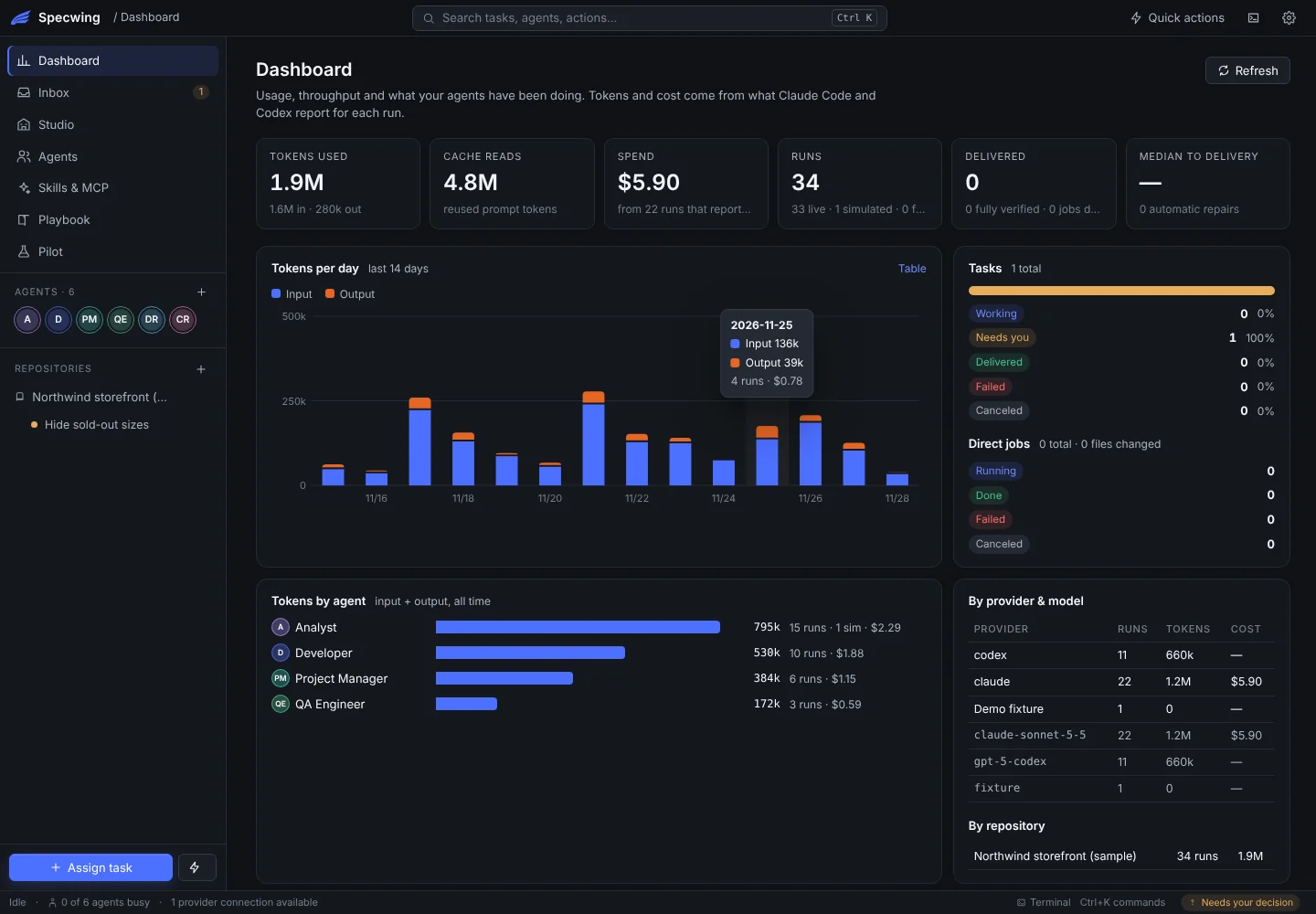
Dashboard
Tokens per day, cache reads, spend and runs, broken down by agent, provider, model and repository. Every figure comes from what Claude Code and Codex reported.
Hand Specwing a ticket. Its agents agree on what done means, build in an isolated worktree, run your real checks, fix what breaks, and return a change that comes with proof.
Free during the beta · Windows 11 x64 · Works with Claude Code, Codex and Google Antigravity CLI
Watch one sentence become a change with four verified criteria. The failed check and the repair are part of the show.
Describe the work and where it should land. Specwing runs everything after that and only interrupts you when a decision is genuinely yours.
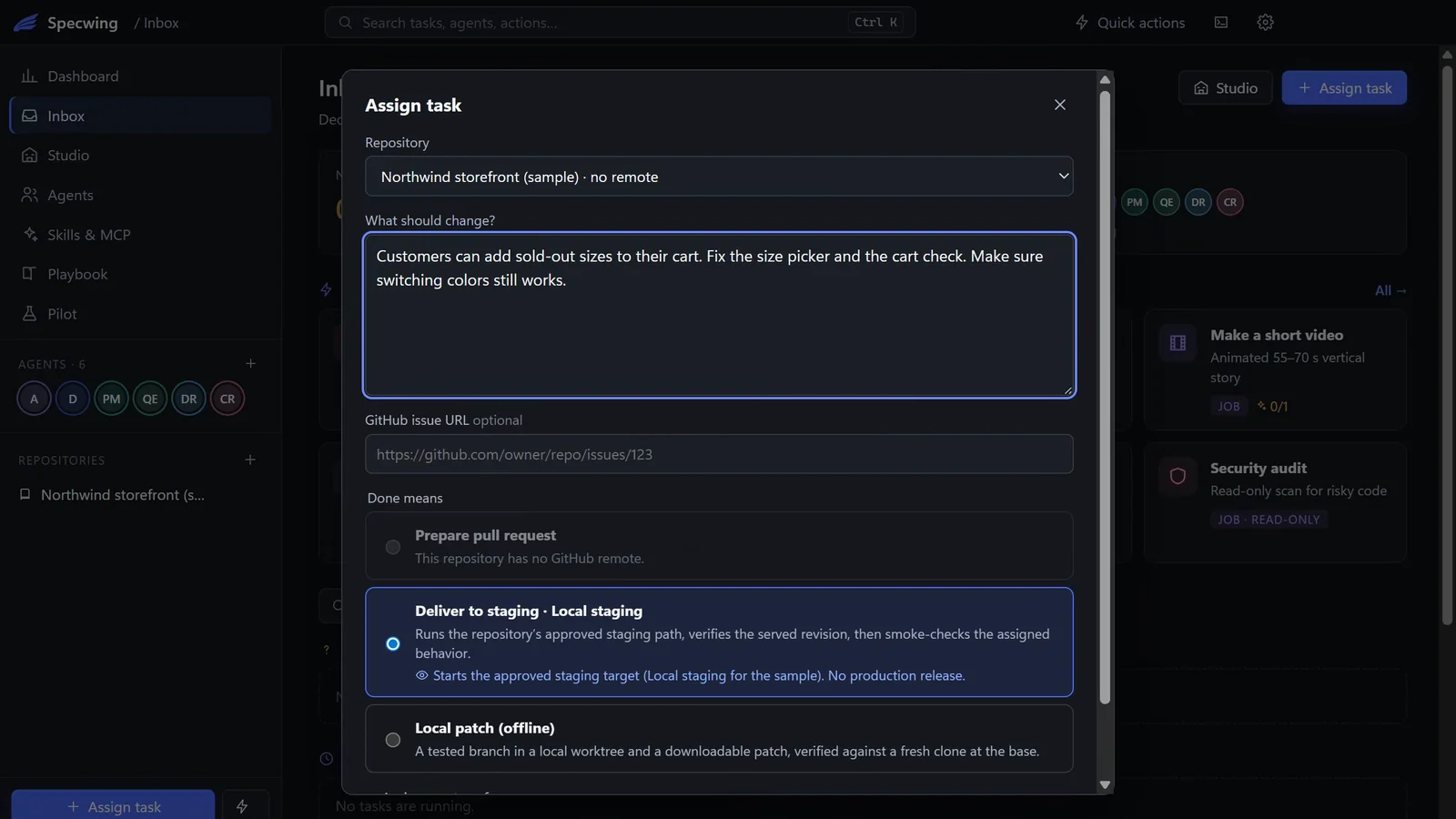
Pick a repository, describe the change in plain words, and decide where it should land: a pull request, a staging deploy or a local patch. One click on Assign and the ticket has an owner.
Step 1 of 6
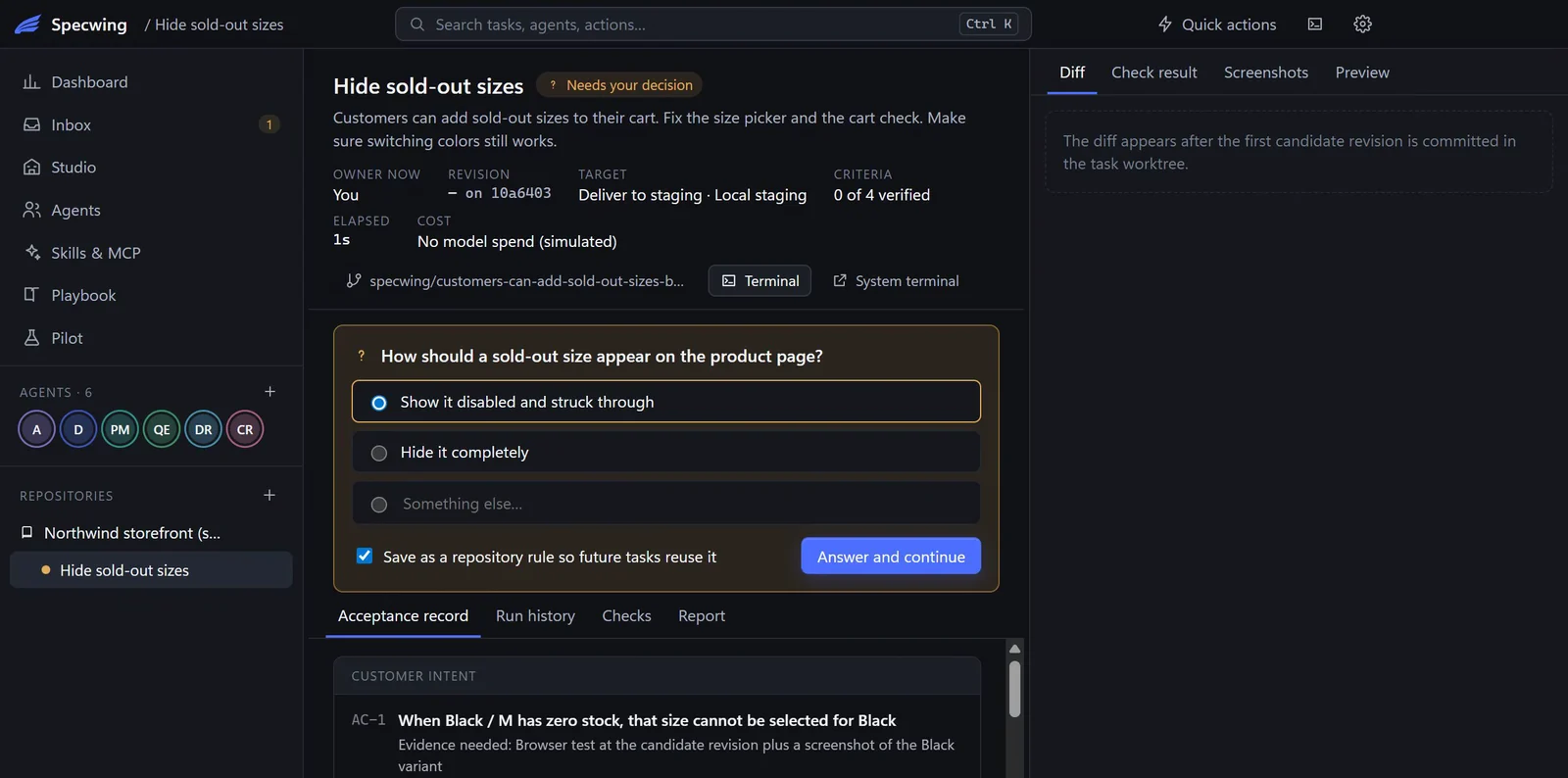
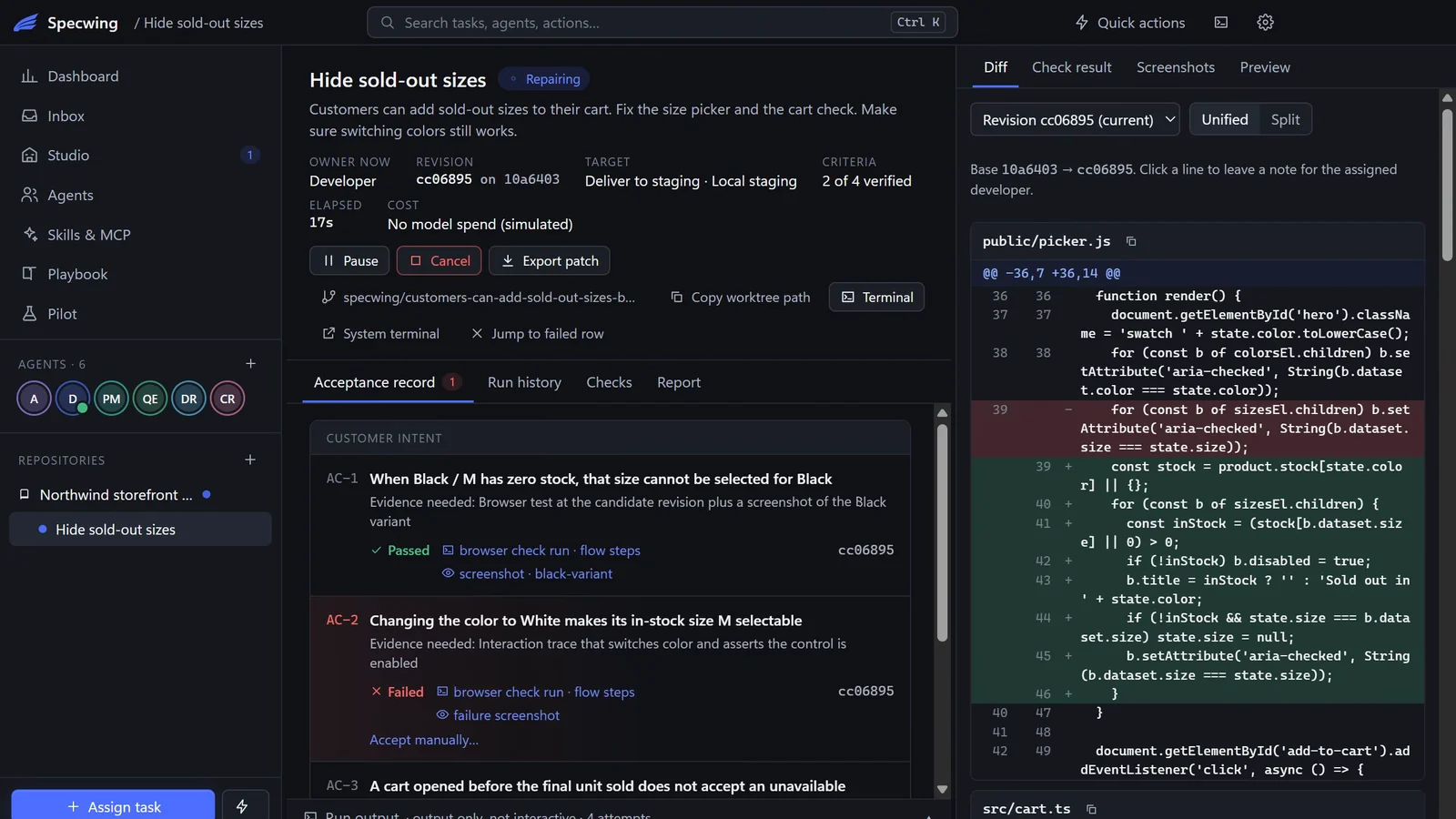
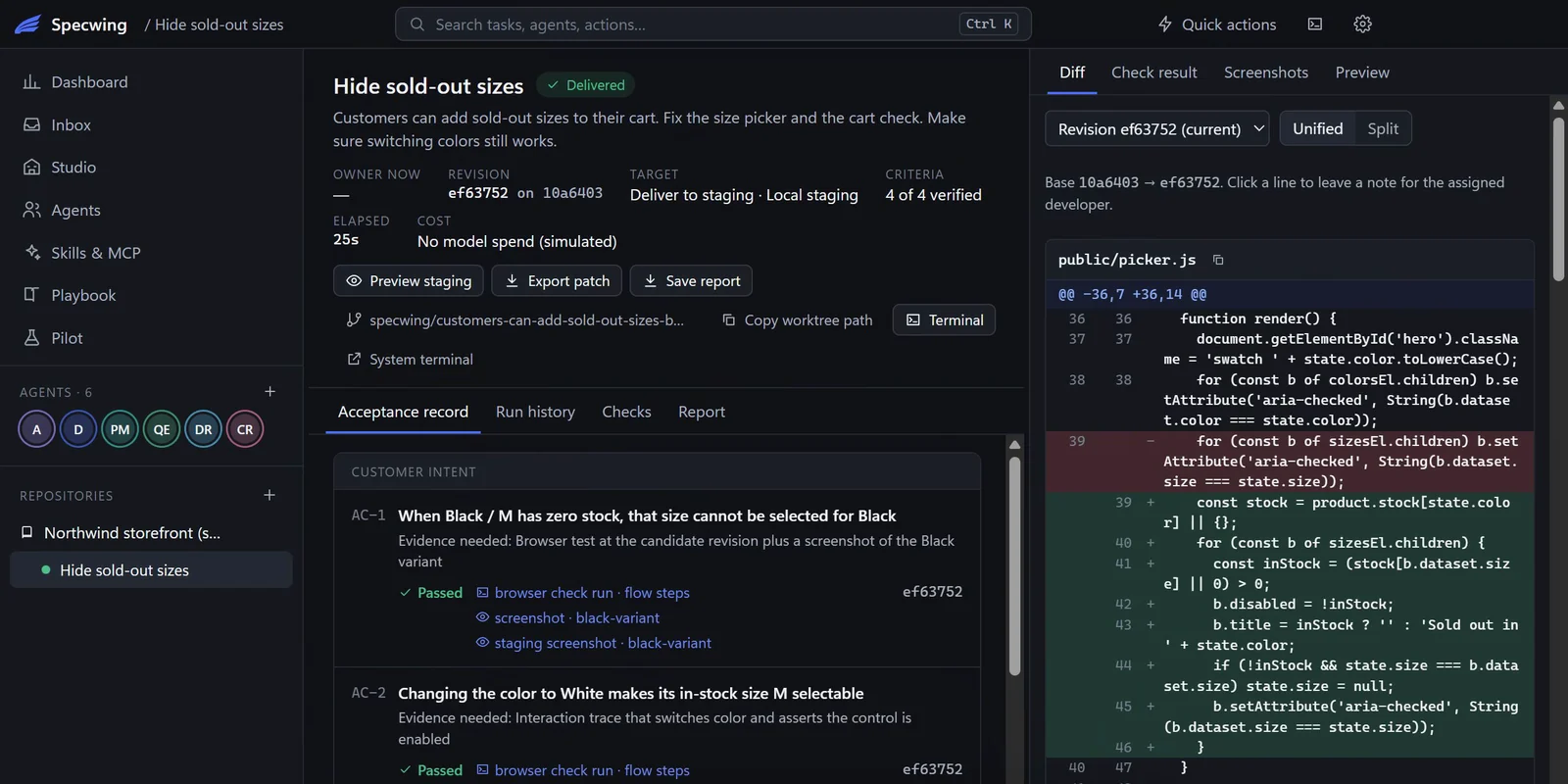
Every delivery ships with an acceptance record: each requested behavior, the revision that satisfied it, and the evidence that shows it.
A model can claim anything. Whether a check passed, a branch exists or staging serves the right revision is reported only by the system that did the work.
Checks are read from the commit the task started on. If an agent edits them, or your CI workflows, the edit is reverted before anything is judged.
Agents describe flows step by step: open, click, expect, screenshot. The runner plays them in Edge or Chrome against the candidate’s own build.
Base 10a6403 to candidate ef63752 · deliver to staging
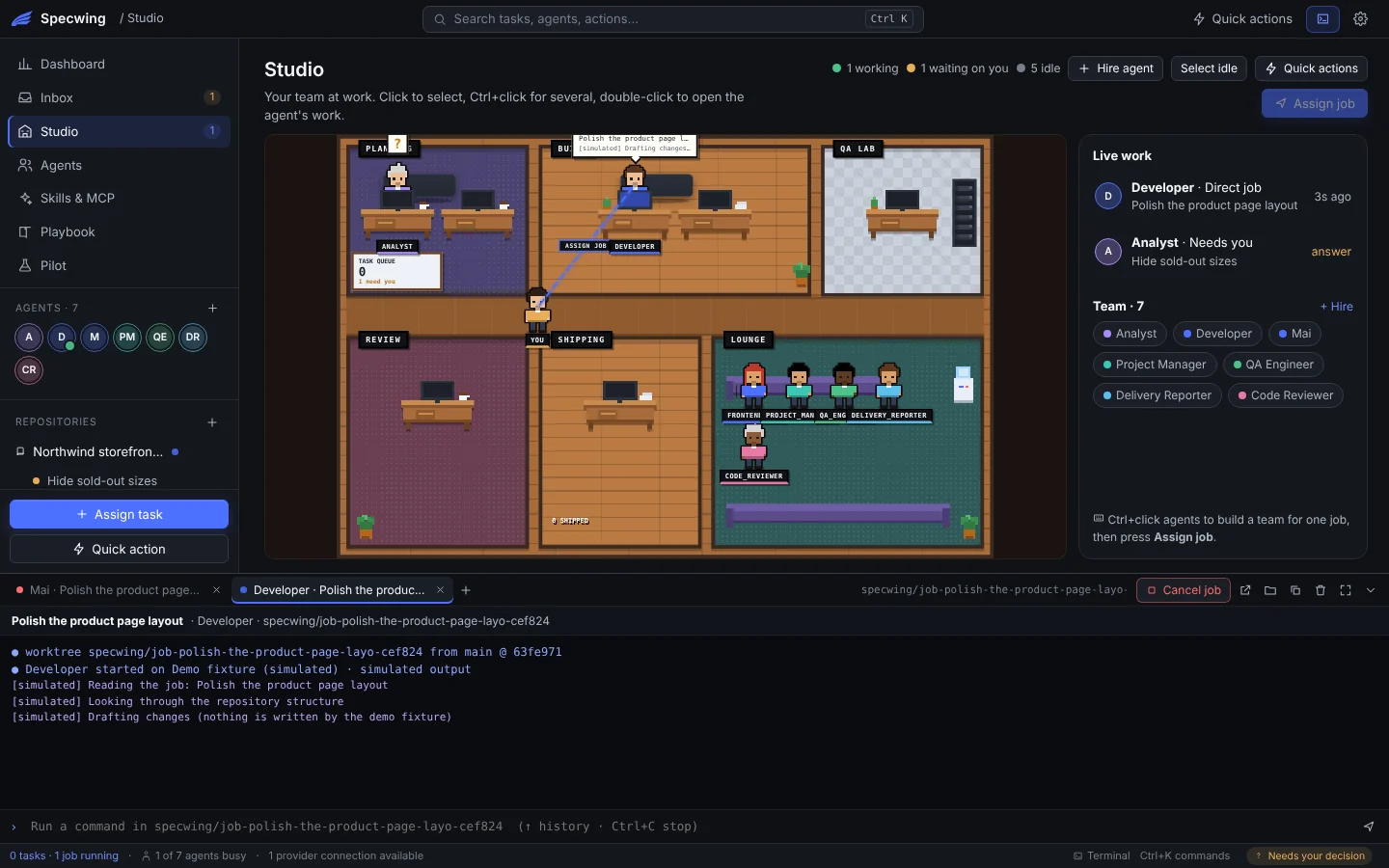
ef63752ef63752ef63752ef63752Studio gives every agent a desk in its role’s room. They walk to work when a task starts, wait in the Lounge when they are free, and raise a question mark the moment a task needs you. Double-click anyone to open their terminal.
Tokens per day, cache reads, spend and runs, broken down by agent, provider, model and repository. Every figure comes from what Claude Code and Codex reported.
Install skills from the catalog, a Git URL or a local folder. Switch on Playwright, Chrome DevTools, Context7 or your own MCP servers, and give each agent its own loadout.
Press Ctrl+Shift+A and start common work with the prompt, skills and MCP servers already in place.
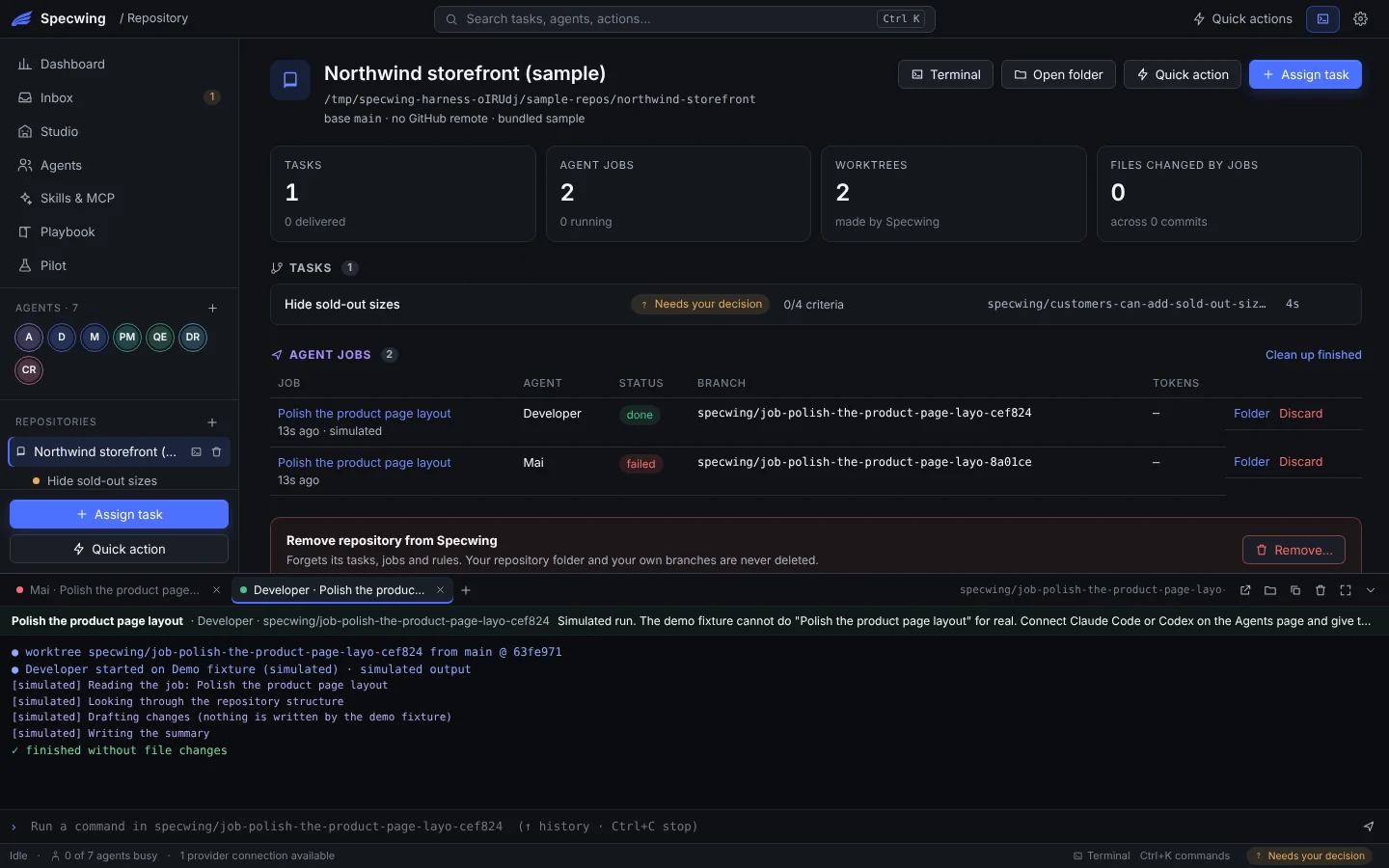
Every task, job and worktree for a repository in one place. Export a patch, discard finished work, open a terminal. Your folder and your own branches are never deleted.
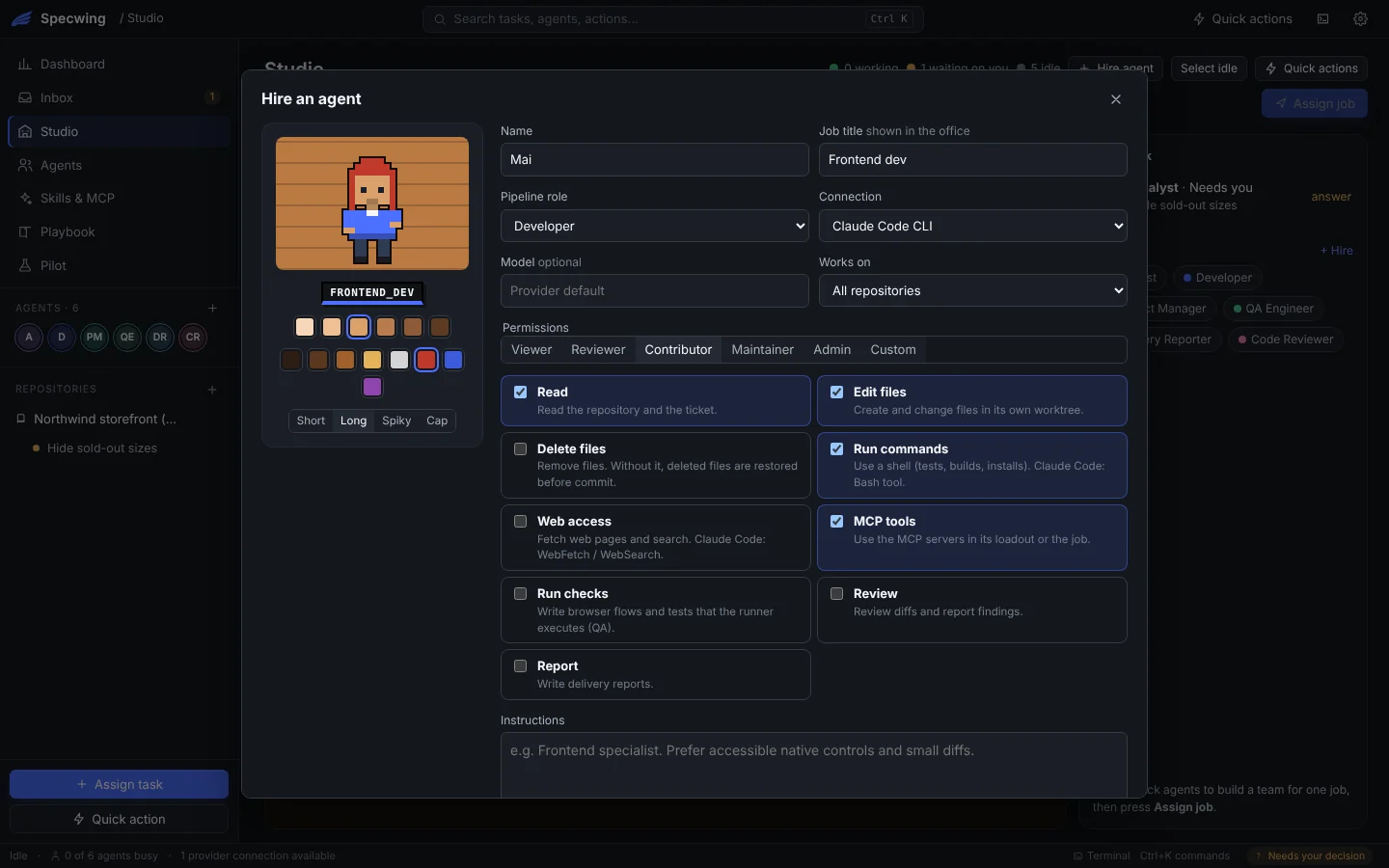
Start from Viewer, Reviewer, Contributor, Maintainer or Admin. Specwing enforces them: tools are withheld, and files deleted without permission come back before commit.
Outside the pipeline, hand chosen agents independent jobs. Writers commit to their own branch; reviewers inspect and report back.
One terminal per repository that remembers where you cd’d, with every task and job streaming live in tabs beside it.
| Question | A coding agent on its own | With Specwing |
|---|---|---|
| What does done mean? | Whatever the summary says | Observable acceptance criteria, agreed first |
| Who decides a check passed? | The model, grading itself | The runner that actually ran it |
| Where does the work happen? | Often your working copy | Its own Git worktree and branch |
| What happens when a check fails? | You notice, then prompt again | Automatic repair rounds, evidence attached |
| Can it weaken the tests? | Nothing stops it | Edits to checks and CI are reverted |
| What do you get back? | A diff and a promise | A diff and an acceptance record |
The beta runs on Windows 11 x64 with Git for Windows on your PATH. Microsoft Edge or Google Chrome runs the browser checks headless; Edge ships with Windows.
Start with the sample ticket. It runs offline, fails a browser check on the first revision and passes after the repair, all in about a minute.
Free during the beta · Windows 11 x64 · Git for Windows required · v0.1.0 · Build files and checksums